 云上极致帮助中心
安装
PVE8安装
Debian12安装PVE8文档
服务器环境要求
- Debian12系统
- 物理服务器
修改主机名和hosts
若您的IP地址为192.168.15.77,主机名为prox4m1,则您的/etc/hosts文件可能如下所示:
127.0.0.1       localhost
192.168.15.77   prox4m1.proxmox.com prox4m1

# The following lines are desirable for IPv6 capable hosts
::1     localhost ip6-localhost ip6-loopback
ff02::1 ip6-allnodes
ff02::2 ip6-allrouters
使用hostname命令来测试您的设置是否正常:
hostname --ip-address
192.168.15.77 # should return at least one non-loopback IP address here
安装PVE
添加下载源
echo "deb [arch=amd64] http://download.proxmox.com/debian/pve bookworm pve-no-subscription" > /etc/apt/sources.list.d/pve-install-repo.list
wget https://enterprise.proxmox.com/debian/proxmox-release-bookworm.gpg -O /etc/apt/trusted.gpg.d/proxmox-release-bookworm.gpg
若为境内服务器,建议使用下面清华源:
echo "deb [arch=amd64] https://mirrors.ustc.edu.cn/proxmox/debian/pve bookworm pve-no-subscription" > /etc/apt/sources.list.d/pve-install-repo.list
wget  --no-check-certificate https://mirrors.ustc.edu.cn/proxmox/debian/proxmox-release-bookworm.gpg -O /etc/apt/trusted.gpg.d/proxmox-release-bookworm.gpg
更新存储库和系统
apt update && apt full-upgrade安装 Proxmox VE 内核
apt install proxmox-default-kernel

systemctl reboot
安装Proxmox VE软件包
apt install proxmox-ve postfix open-iscsi chrony删除 Debian 内核
apt remove linux-image-amd64 'linux-image-6.1*'删除 os-prober 软件包
apt remove os-prober连接到管理员Web界面 ( https://your-ip-address:8006/ ) 如果您是全新安装且尚未添加任何用户,则应选择PAM身份验证领域,并使用root用户帐户登录。
添加存储库
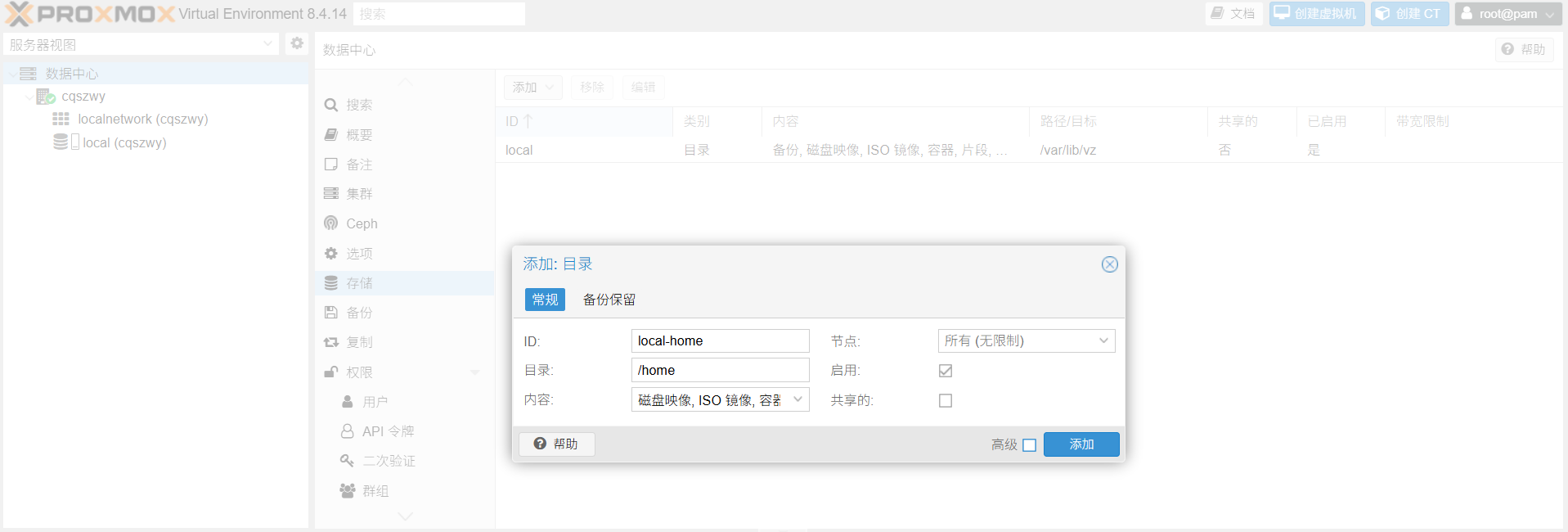
如下图所示,若Debian存在多个分区,/home 分区则需要手动添加存储库

点击:数据中心 - 存储 - 添加 - 目录,输入对应即可,内容建议勾选全部
配置网络
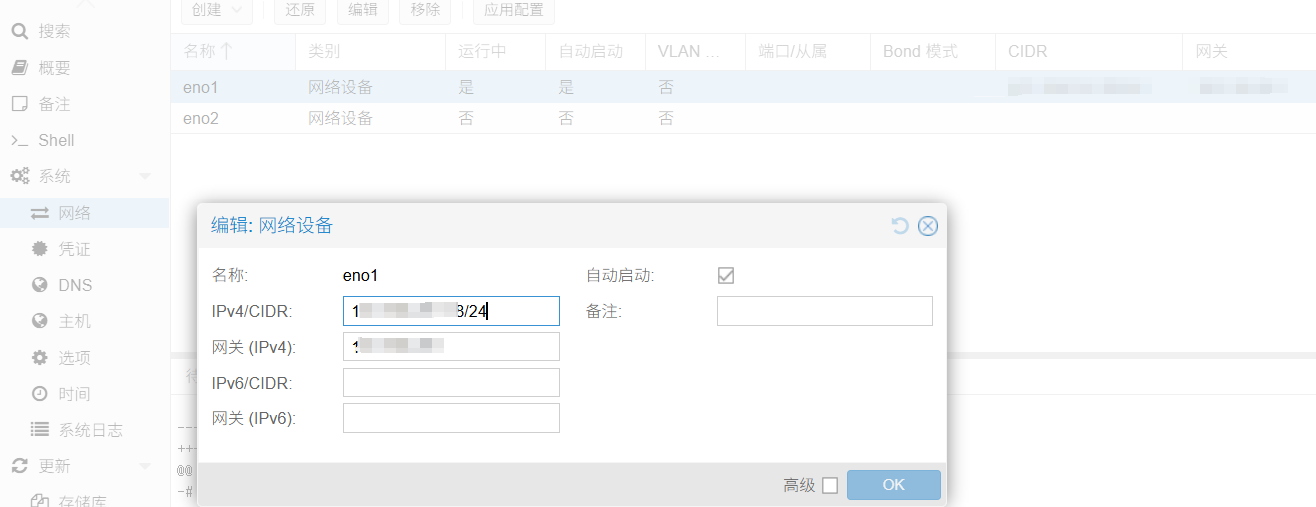
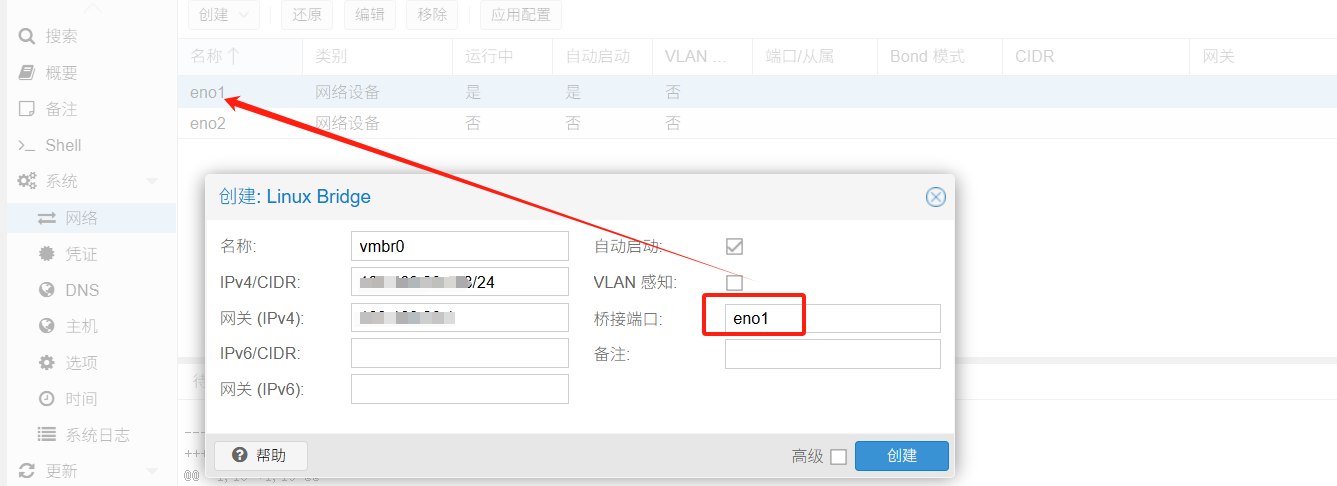
将网口(示例图片为eno1)eno1的IP地址删除,新建Linux Bridge 填写eno1删除的信息,桥接端口填eno1 最后点击 应用配置 即可